IGCSE 0478 · AS and A Level 9618
Marked like the exam.
Cambridge Computer Science practice, free.
Exam-style questions marked point by point against the mark scheme, real past papers against the clock and Cambridge pseudocode that runs.
Free. No account. Your work stays in your browser.
Built by Omar Kilani, a 15-year-old founder in Dubai. Read our story
How it works
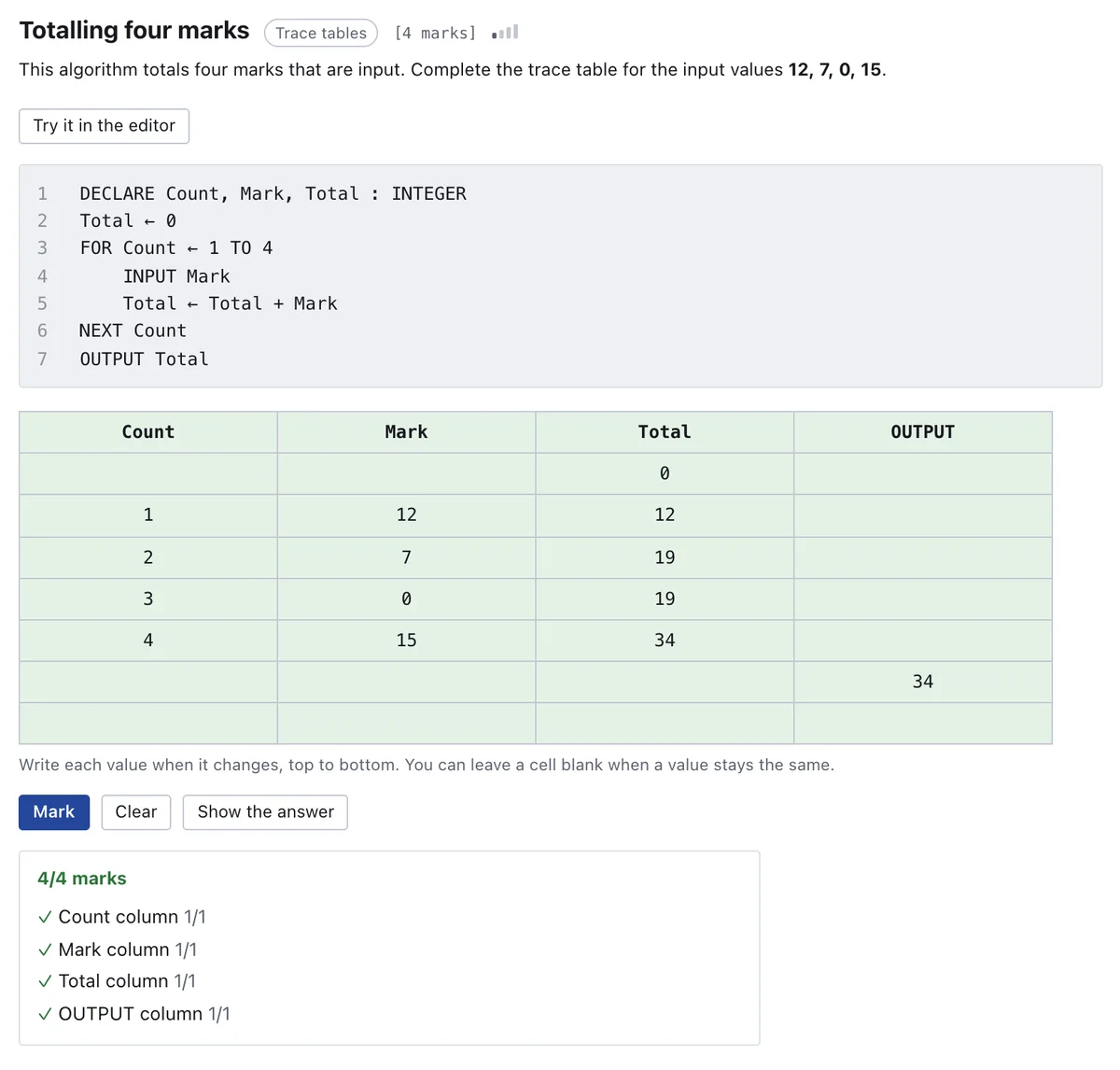
Pick a topic, answer in the exam's own shapes and see exactly where each mark came from.
Every screen in this recording is the site itself, captured from a running build. It works with the sound off.
-
Choose a topic
Every subtopic of your syllabus in Cambridge's order, with questions from easy to exam-hard.
-
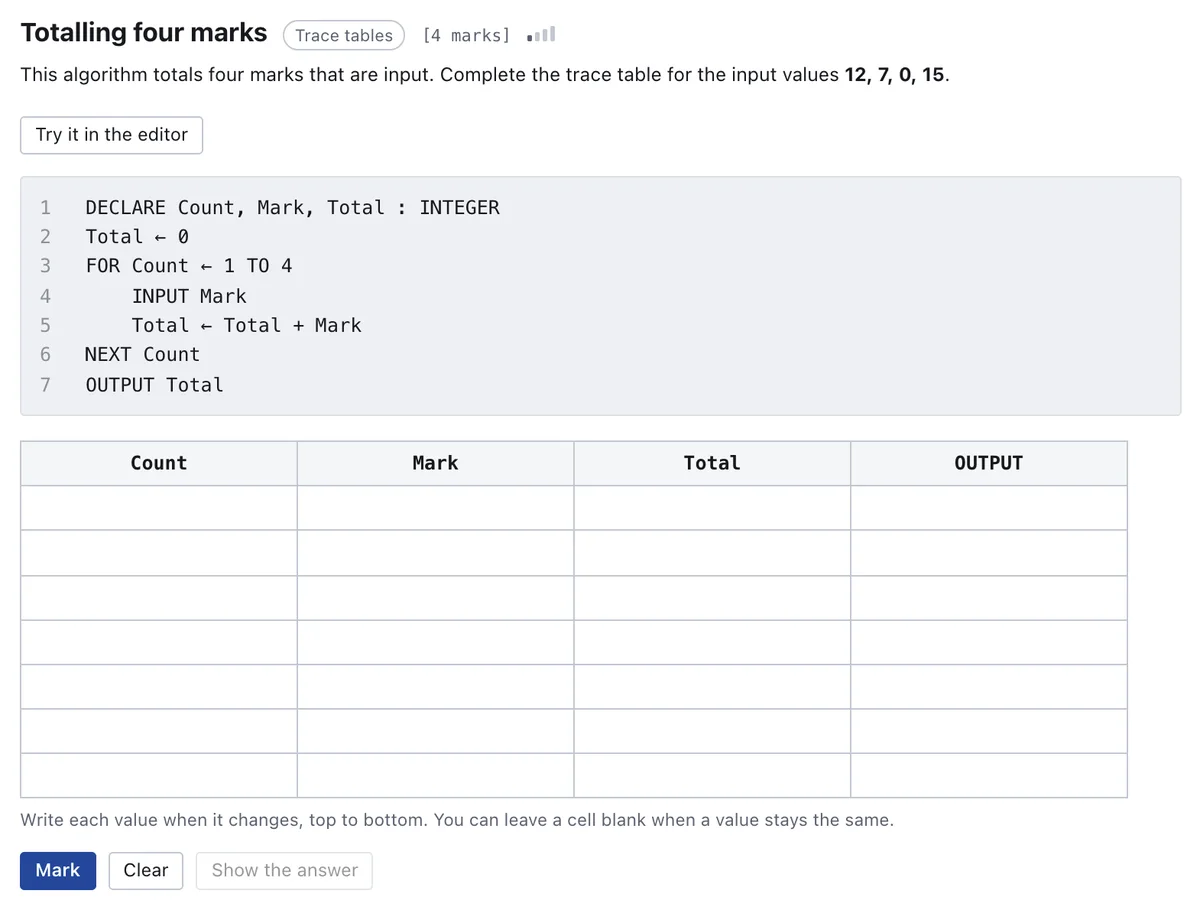
Answer and get it marked
Trace tables, binary, SQL and written answers, marked against the mark scheme's rules the moment you finish.
-
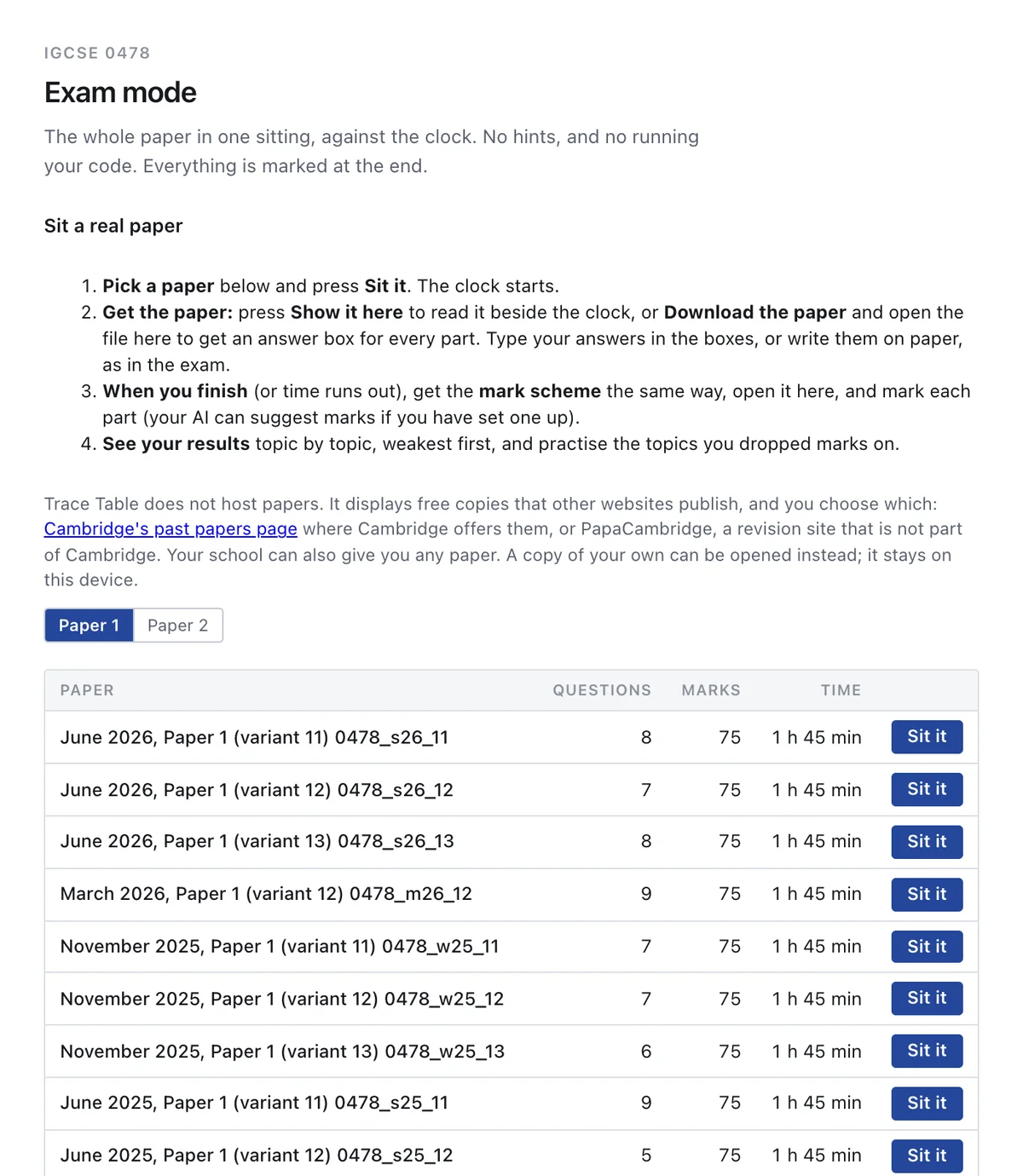
Sit real past papers
140 real papers are listed, each with a link to where it is published. Sit one beside the clock and see your results topic by topic, weakest first.
Everything on your syllabus
Computer Science 0478 and 9618 only, so everything here is on your course.
Questions in the exam's own shapes
About 1,800 exam-style questions for IGCSE and 2,000 for A Level, marked point by point the way the mark schemes mark. New ones every week.
- Trace tables, truth tables and logic
- Binary, hexadecimal and file sizes
- SQL, test data and written answers
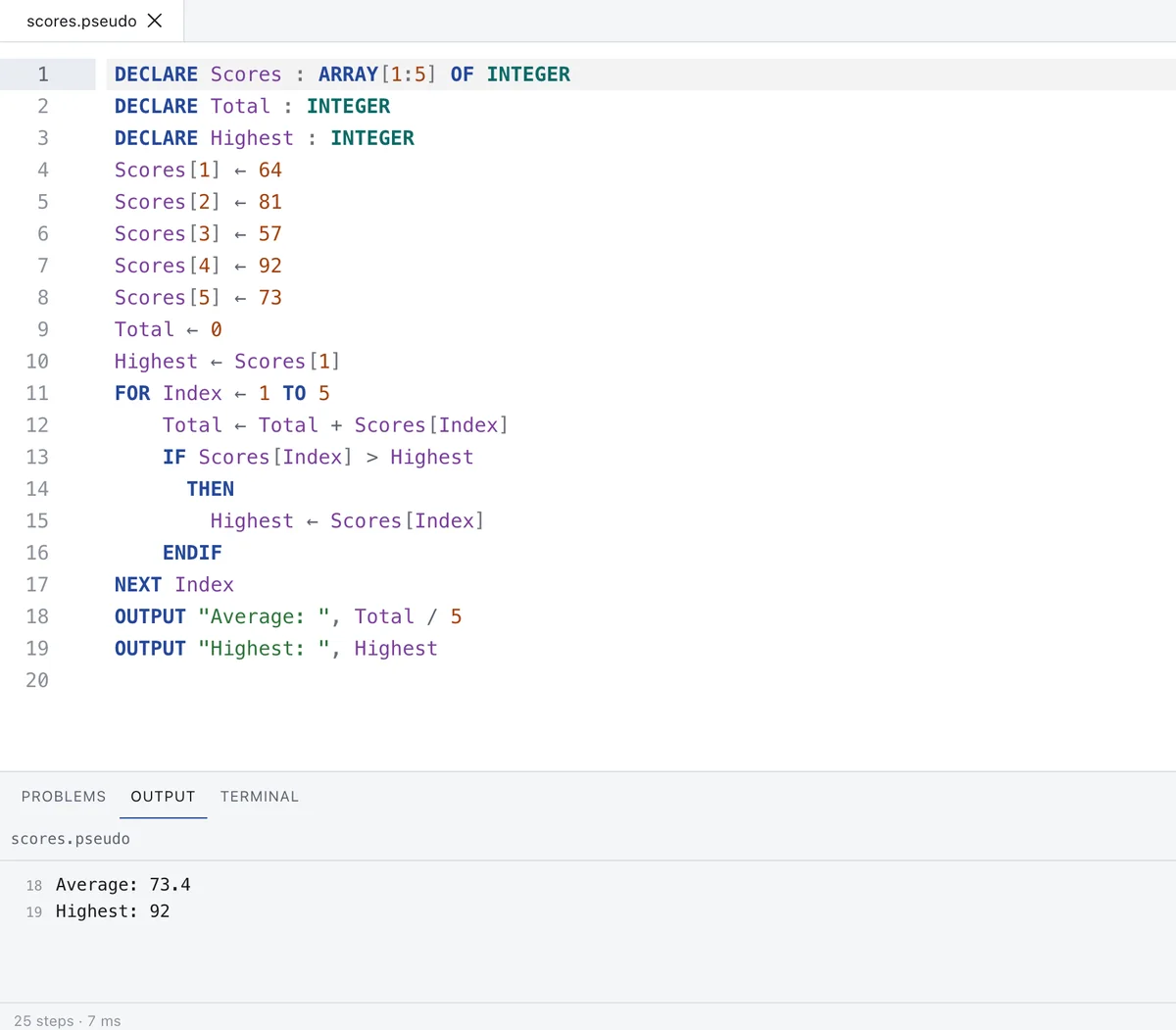
Cambridge pseudocode that runs
Write pseudocode exactly as the syllabus guide does and run it. Step through a line at a time and watch every variable change in the trace table.
- IGCSE and A Level dialects
- Errors explained in plain English
- Python side by side when you need it
Programs marked by running them
162 programming tasks for IGCSE and 169 for A Level, including SQL. A Level also has 53 Paper 4 programming tasks in Python. Your program is run against tests. Longer 15-mark answers are marked on Cambridge's levels.
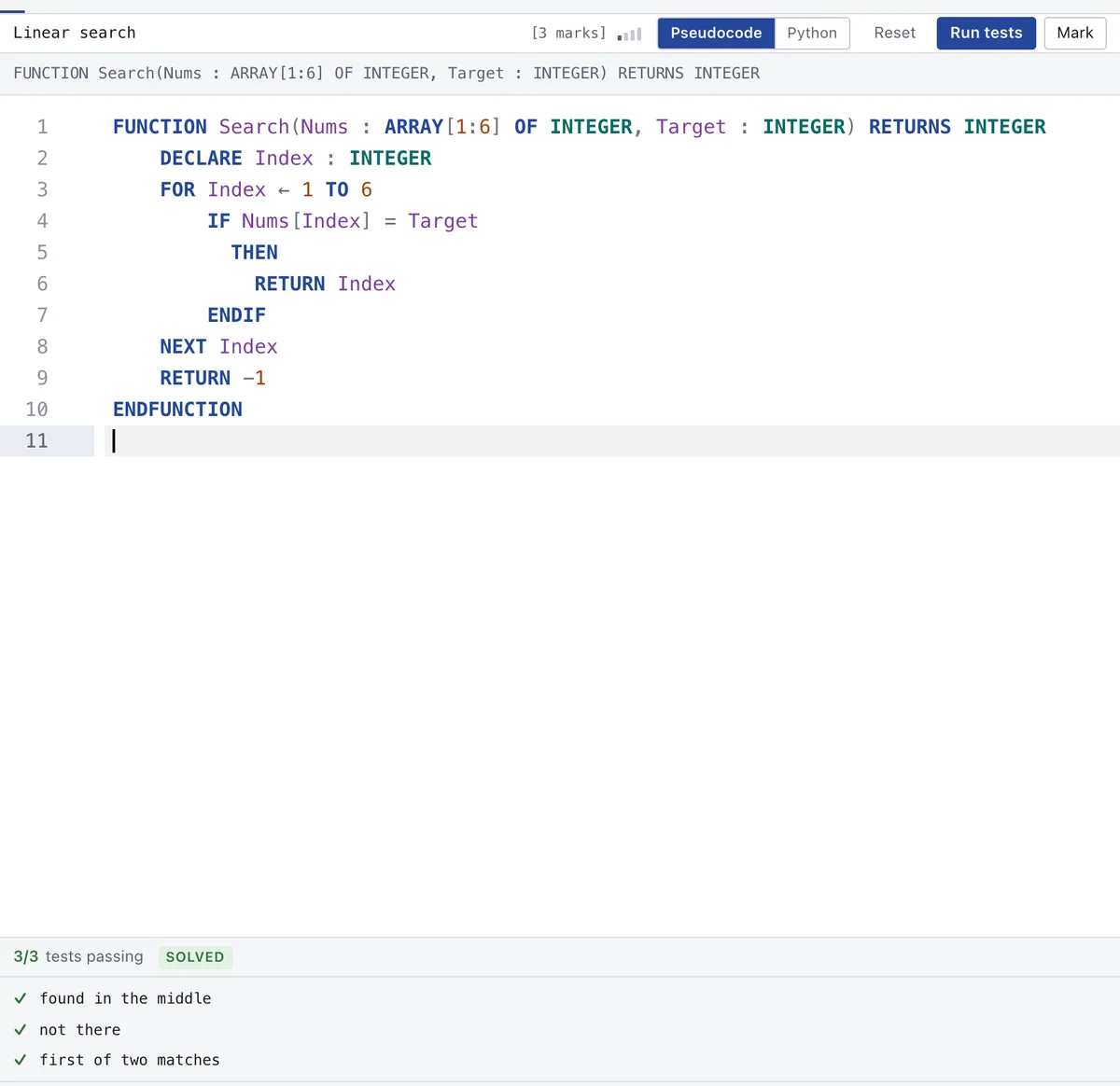
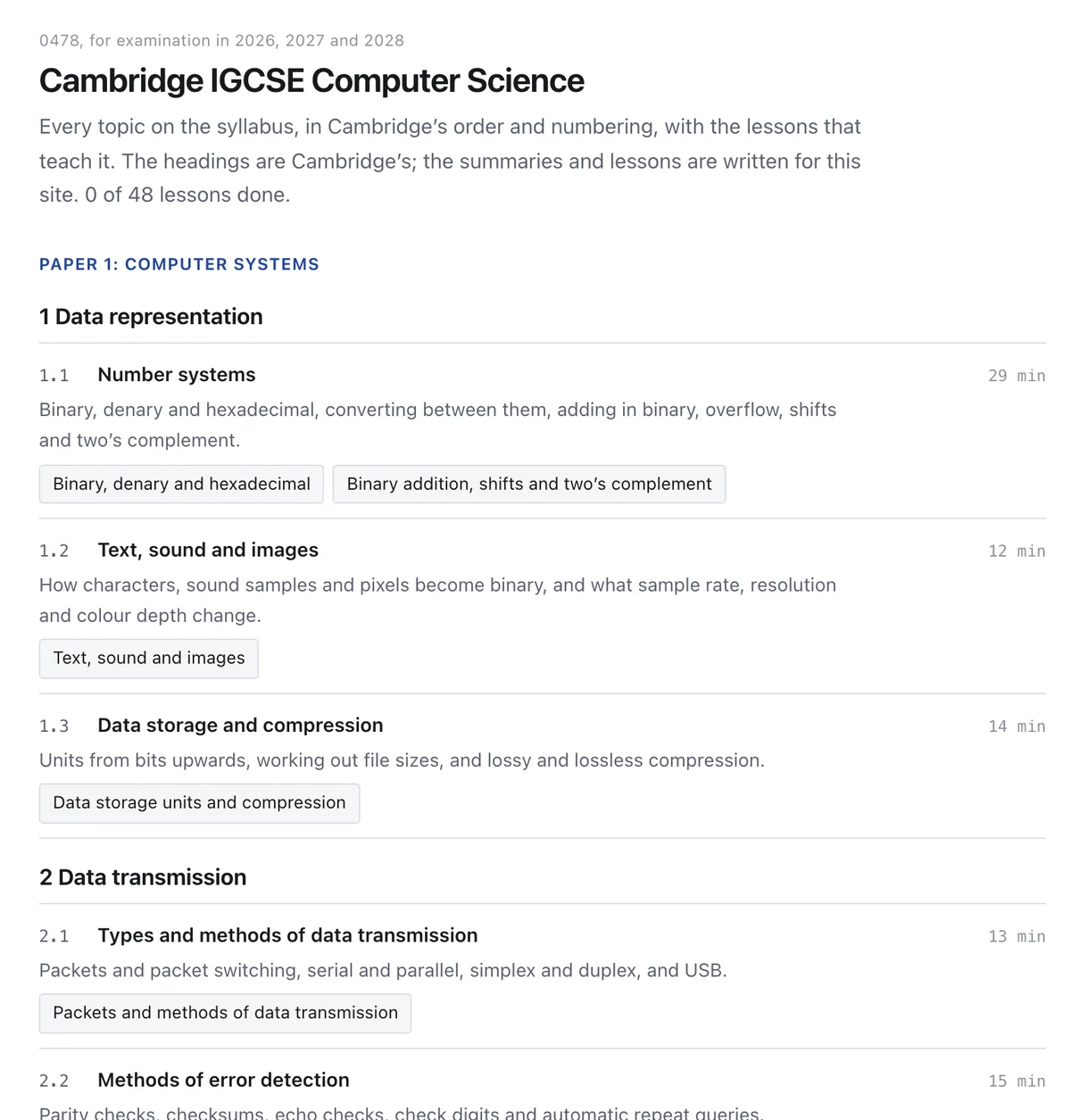
Every topic explained
48 lessons for IGCSE and 77 for A Level in the syllabus order, with examples you can run and quick checks as you go.
Why Trace Table
Most students revise with past paper PDFs and a chatbot. Here is what changes.
| What you need | Past papers and a chatbot | Trace Table |
|---|---|---|
| Enough practice | The papers you can find and questions a chatbot invents without checking | About 3,700 questions in Cambridge's shapes, each one checked by tests |
| Marking | Find the mark scheme, then paste it in every time | Marked against the scheme's rules the moment you finish, with each lost mark explained |
| Pseudocode | A chatbot predicts what code prints | Your code runs, exactly as the syllabus guide writes it, with a trace table |
| Exam conditions | A timer on your phone | Timed papers in the real shape, with help hidden as in the exam |
| Help | The answer, often before you have tried | Hints first: the answer only appears after you have had a go |
| Cost | Free | Free, with no account |
What is inside
Counted from the site today.
IGCSE 0478
- Exam-style questions
- 1,784
- Programming tasks
- 162
- Lessons
- 48
- Timed practice papers
- 22
- Real past papers listed
- 53
AS and A Level 9618
- Exam-style questions
- 2,035
- Programming tasks
- 169
- Lessons
- 77
- Timed practice papers
- 18
- Real past papers listed
- 87
Worth knowing
What Trace Table is not, before you rely on it.
- It is not Cambridge.Trace Table is not affiliated with, endorsed by or connected to Cambridge Assessment International Education. The syllabus numbers only say which courses it is for.
- It does not host Cambridge papers.You open your own copy of a paper here. The site links to where each one is published.
- A mark here is not your grade.The marking follows the way the mark schemes mark and is tested, but it does not predict a result.
- Your work lives in your browser.There is no account, so clearing your browser data deletes your work. Save anything that matters to your own computer.
Questions
Is it really free?
Yes. Everything on the site today is free, with no account and nothing to install. A paid plan with extras may come later; the free site stays.
Do I need to sign up?
No. Open the site and start. Your work and progress are saved in your own browser. You can save a copy to your computer at any time.
Which courses does it cover?
Cambridge IGCSE Computer Science 0478 and AS and A Level Computer Science 9618, including Python for Paper 4. Nothing else, so everything here is on your syllabus.
Does it work on a phone or tablet?
Yes. It works on any browser: Chrome, Safari, Edge or Firefox, on a laptop, a tablet or even a phone. Writing code is easiest with a keyboard.
Does it use AI?
The questions, the marking and the hints all work without AI. If you want an AI as well, you can connect your own: it is off until you switch it on. Your questions go straight from your browser to the provider you chose, never through us.
Can my teacher use it with a class?
Yes, today, for free: every student opens the site with no account. Tools for schools are being built. If your school wants to try them first, write to trace-table@outlook.com.
Try one question now.
No account and nothing to install. It takes less than a minute.
Open Trace Table